The wallet your customers will actually use.
Vexo Wallet on mobile is a stablecoin-first, self-custody wallet built for the rails money moves on today. Gasless USDC / USDT transfers on EVM, Solana and TRON; a built-in point-of-sale for small merchants; in-wallet swap routed across six providers; on / off-ramp via Transak; and batch payouts across UTXO and EVM stablecoins — all packaged as a native React Native 0.83 + Expo 55 app for Android and iOS, with seed-on-device and signing on-process.
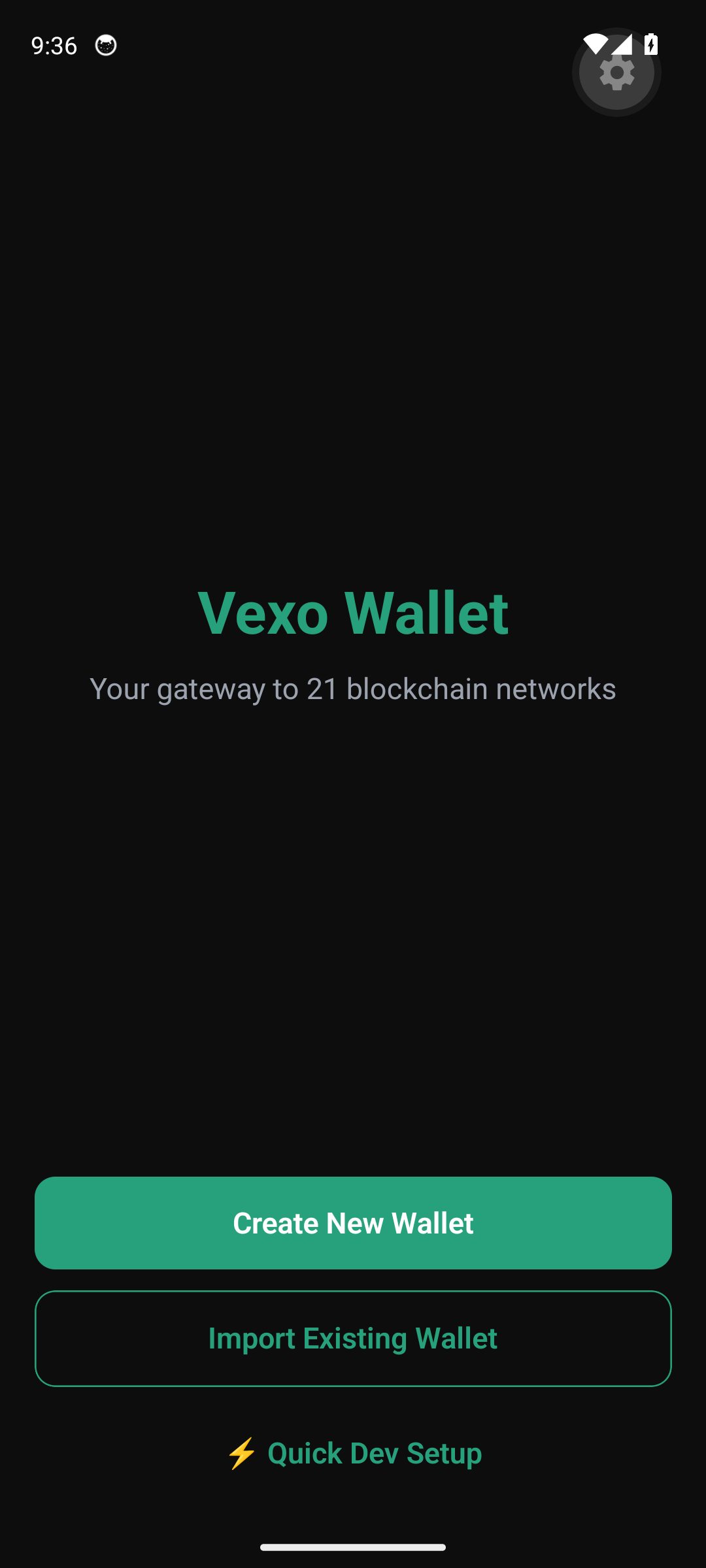
Onboarding — sixty seconds to self-custody
The Welcome screen is intentionally minimal: create a new wallet, import a 12 / 24-word seed or a raw private key, or jump straight in with Quick Dev Setup for testing. The mnemonic is generated on-device, never transmitted, and sealed behind the OS keystore (Android Keystore / iOS Keychain) with PBKDF2 stretching. No email, no phone, no KYC at the wallet layer.
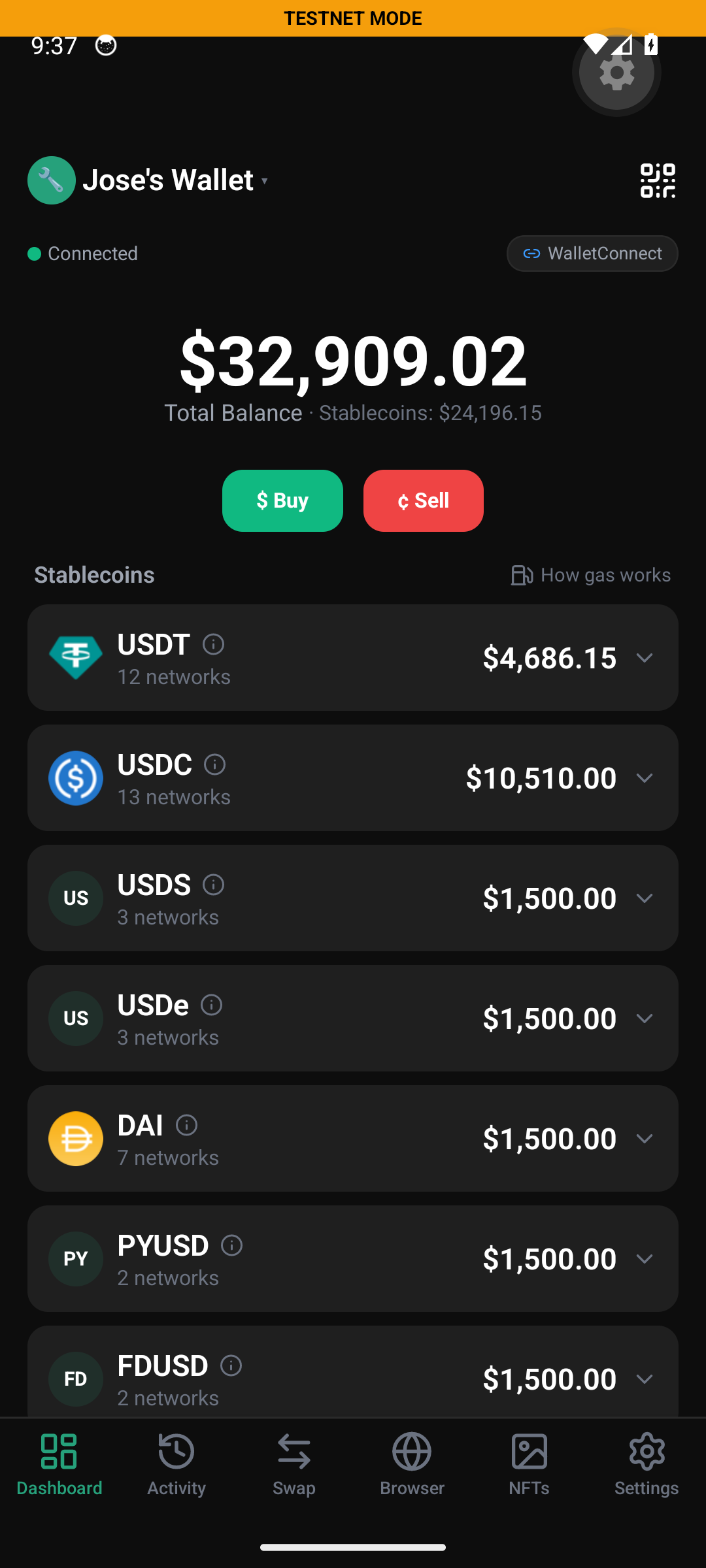
Unified portfolio across 22 chains
The dashboard is the user's single financial home: total balance in their chosen fiat (testnet shown in this capture), every stablecoin and token held across all 22 enabled networks, primary actions (Send / Receive / Swap / Buy) one tap away, and a testnet toggle that cleanly isolates a sandbox session from real funds. Tokens the user receives on an unknown contract surface as a spam-filtered, anti-impersonation banner — never silently added.
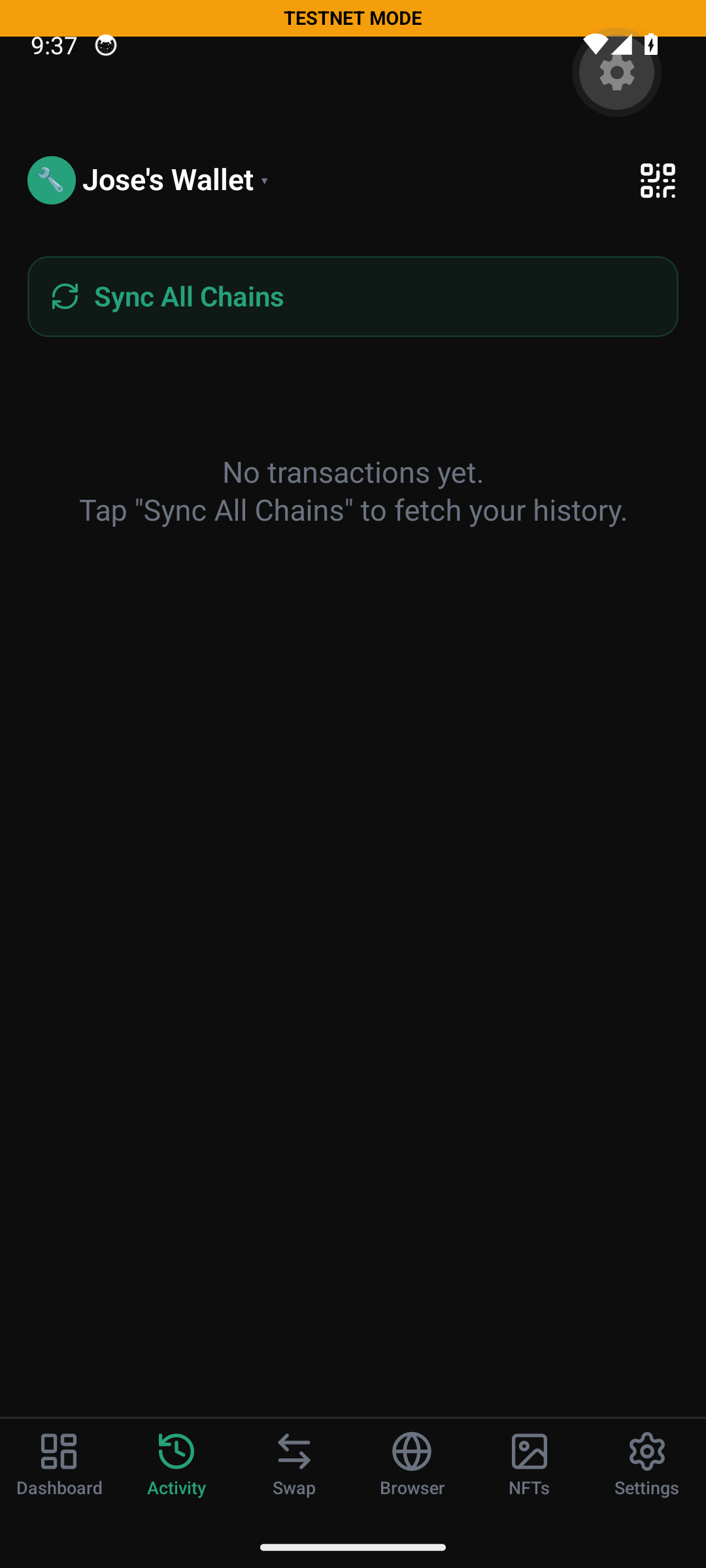
Activity — one feed for every chain
Every transfer across every enabled chain rolls up into one chronological feed with the real token logo, counter-party address, amount and confirmation status. The Sync All Chains action triggers a full backfill against the indexer Worker; pull-to -refresh asks for the delta only. Anti-impersonation runs server-side: lookalike contracts (USDT impostors, etc.) are surfaced as disabled, non-actionable rows.
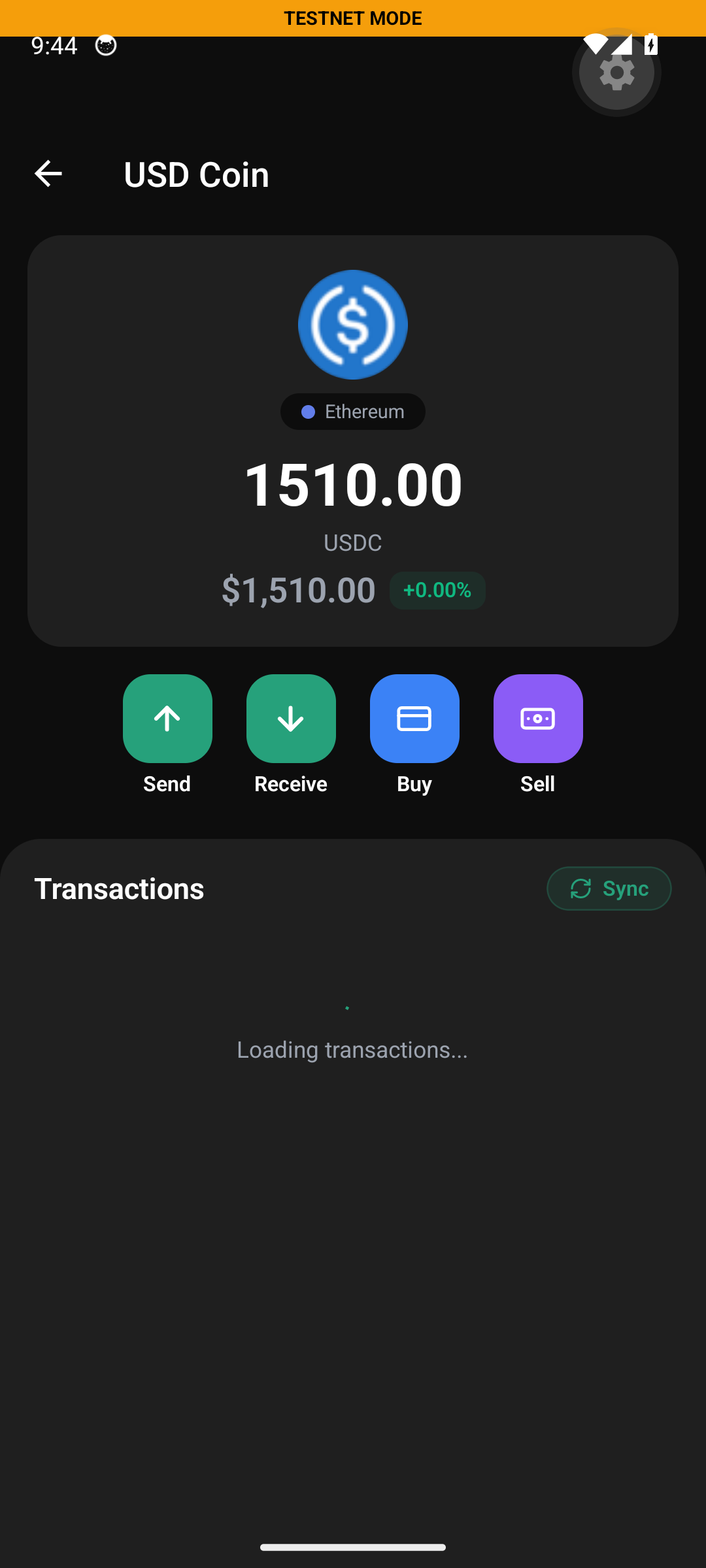
Token detail — per-chain balances, one screen
Tapping a token from the dashboard expands its per-chain holdings; selecting a chain opens this detail screen. Every token has its own Send / Receive / Buy / Sell actions plus a live USD valuation. This is where the user lands before any outflow — one place to confirm what's held, on what chain, at what value.
Send — gas-sponsored stablecoins, ENS / SNS / TON
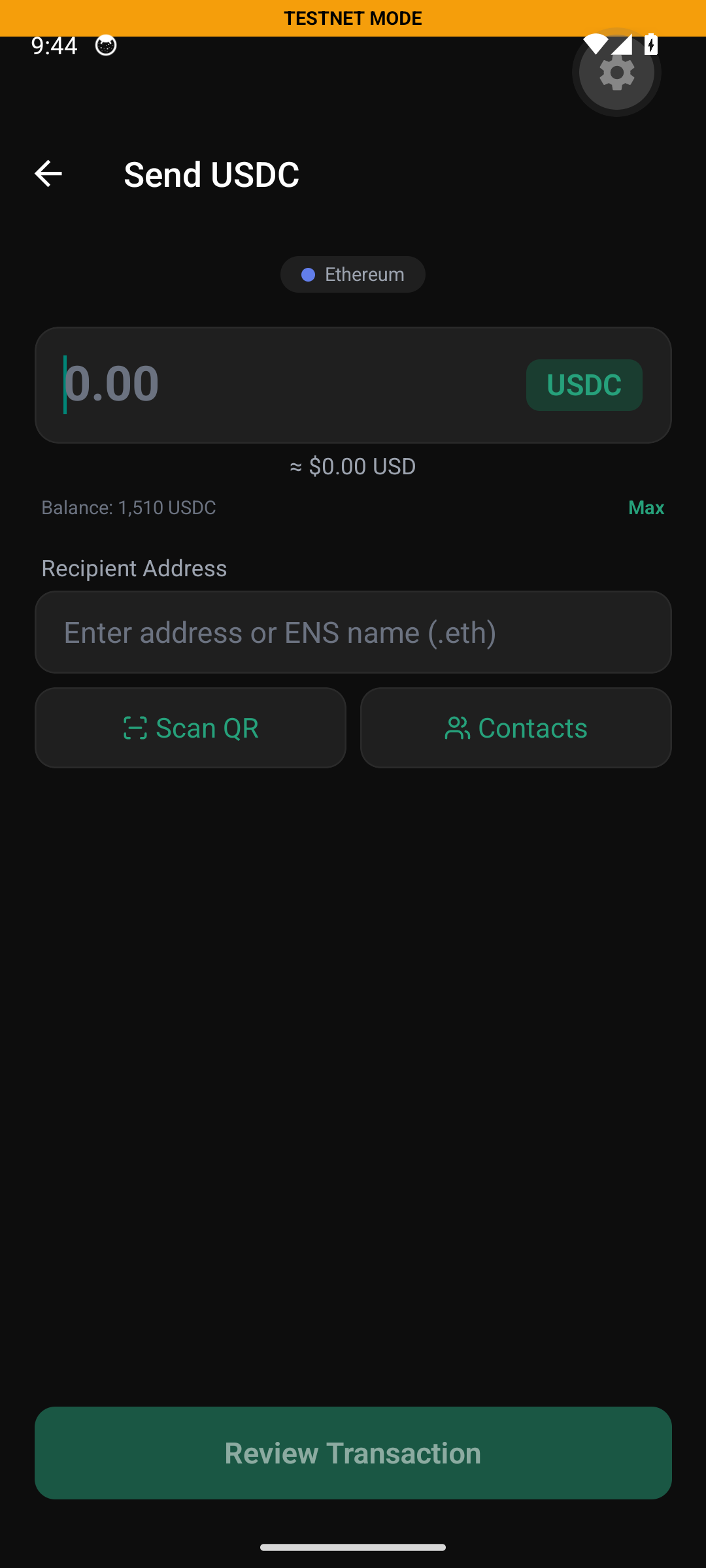
The send form is short on purpose: amount with live USD preview, the chain chip, recipient address with ENS / SNS / TON-domain resolution, plus shortcuts to Scan QR and Contacts. A single Review Transaction step before the user signs. On supported assets, the relay silently sponsors the gas and charges a tiny fee in the stablecoin being sent — the recipient never needs to hold native gas to use the wallet.
Receive — QR, payment links, fixed-amount invoices
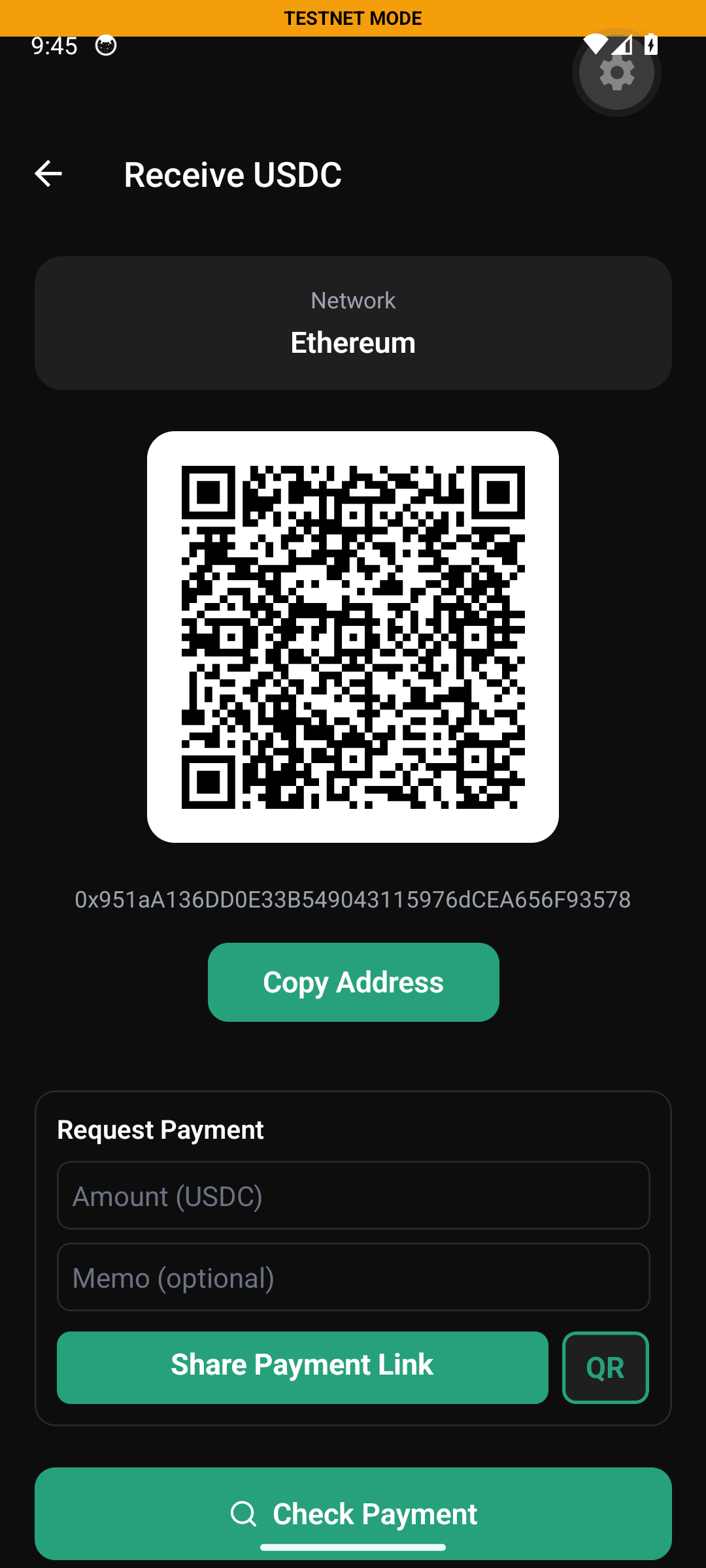
The receive screen is the merchant's day-to-day surface: a chain-specific QR, the plain-text address with one-tap copy, and a Request Payment generator that builds BIP-21 (Bitcoin / Litecoin / Doge), EIP-681 (EVM) or Solana Pay URIs with amount and memo baked in. Share Payment Link distributes them out-of-band; Check Payment polls on-chain until the funds land — without leaving the screen.
Swap — six providers, one router
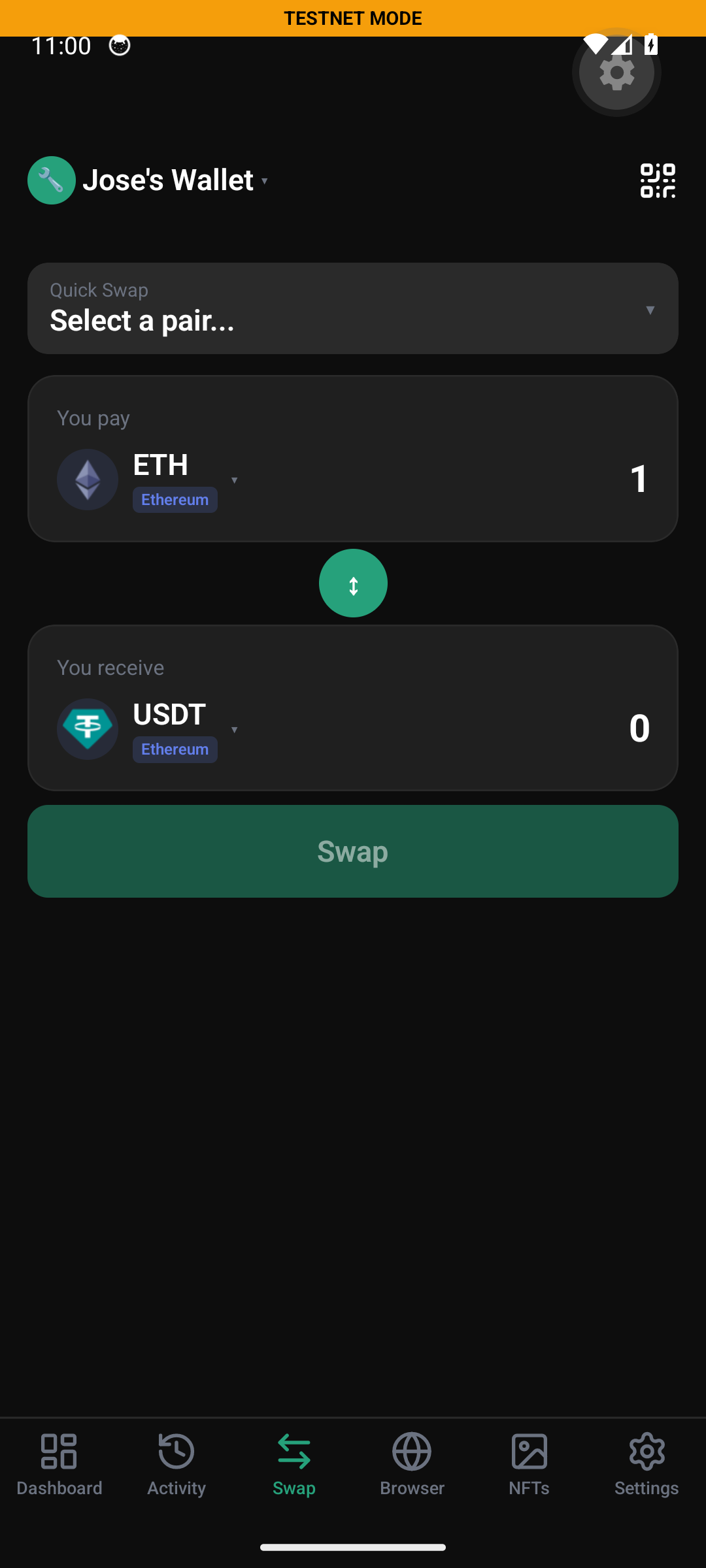
Vexo embeds six DEX / aggregator clients and auto-routes per pair: 0x for same-chain EVM, Jupiter for Solana, Li.Fi for cross-chain and everything-else, StonFi for TON, SunSwap for TRON, and Boltz for Bitcoin ↔ Lightning ↔ Liquid swaps. The user never picks a provider; they pick From, To, Amount. Slippage, price impact and routing path are always disclosed in the quote card.
NFTs across chains
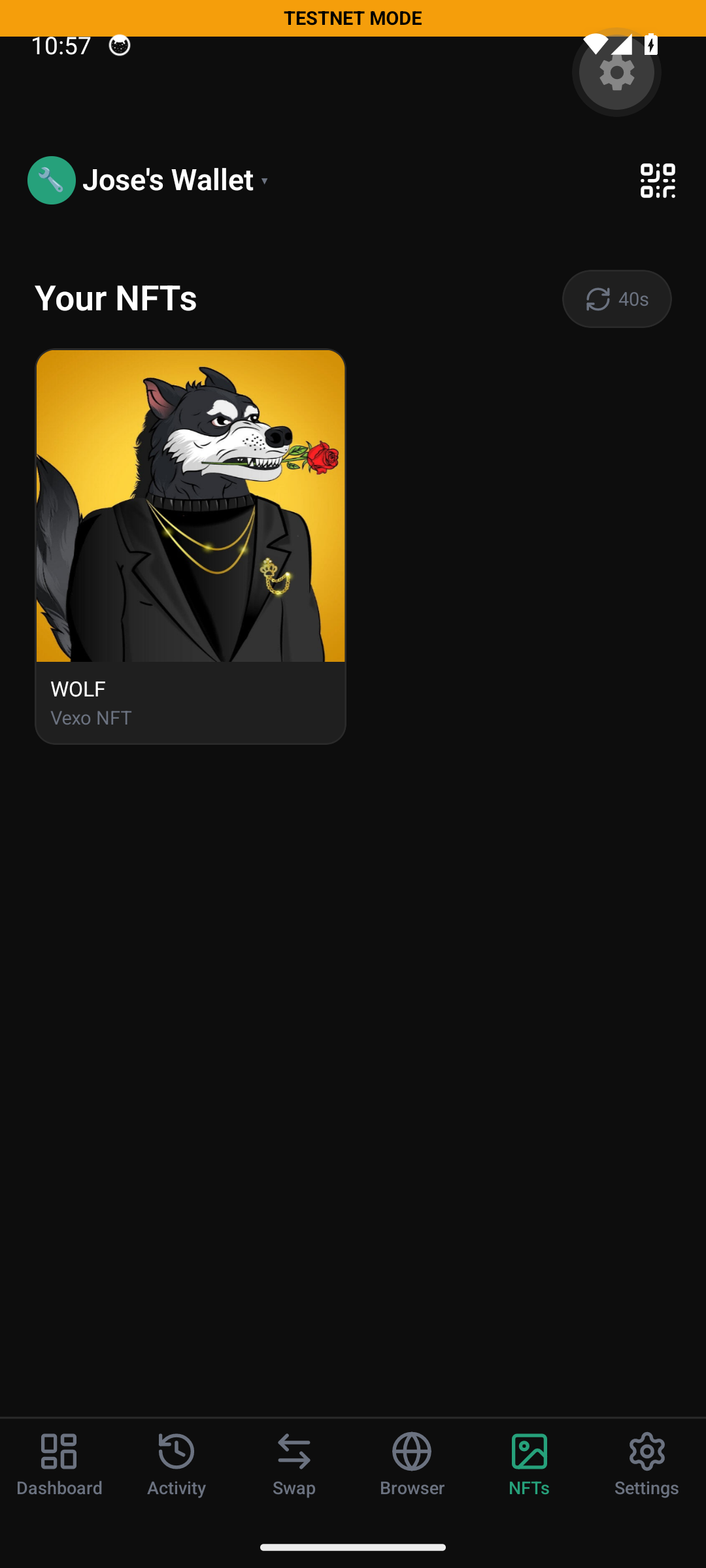
A single gallery covers Ethereum, Polygon, Arbitrum, Optimism, Base, BSC, Avalanche via Alchemy and Solana via Helius. Spam filtering is on by default — airdropped scams with zero floor or unknown contracts get hidden rather than dumped on the user.
dApp browser — first-class EIP-1193
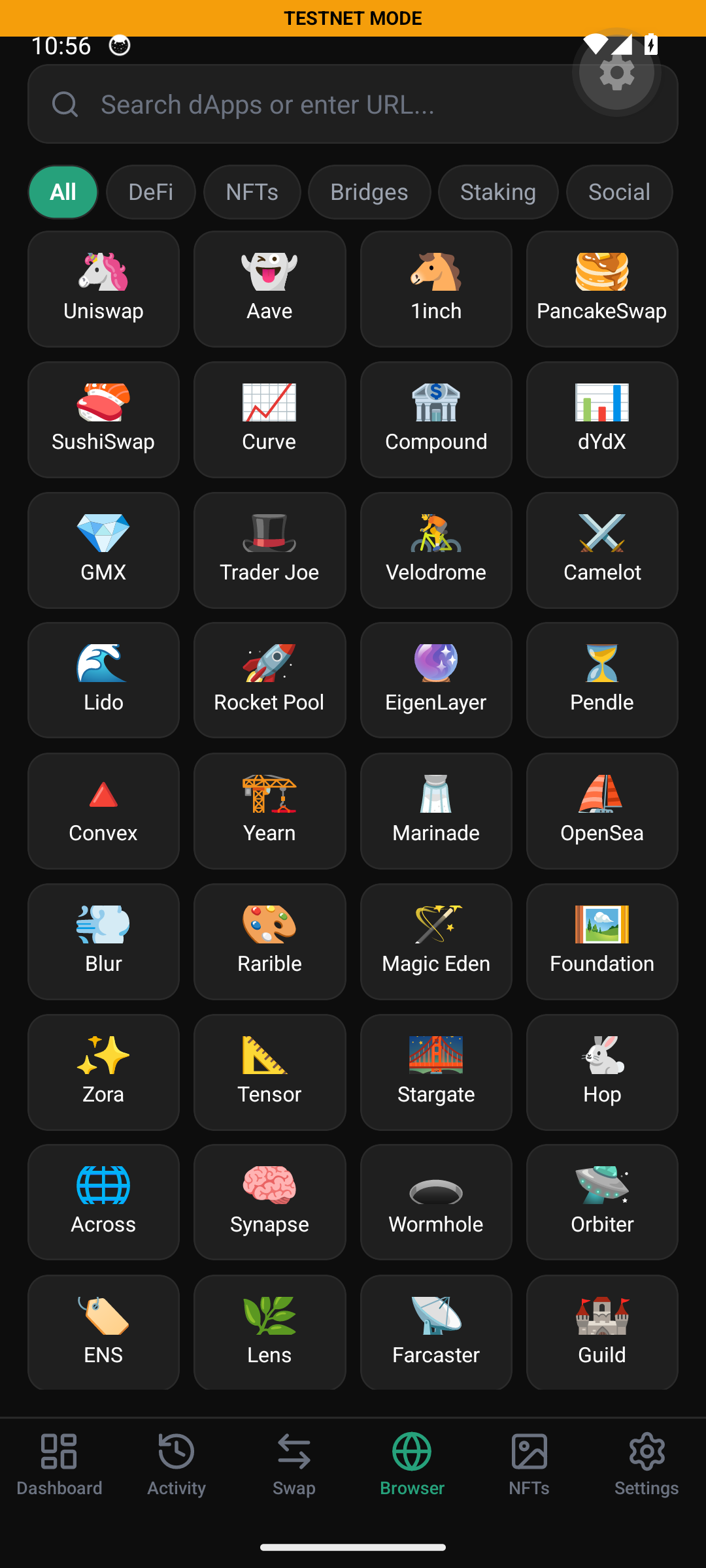
Vexo on mobile embeds a WebView with a Vexo wallet provider injected as window.ethereum — the same EIP-1193 interface every dApp expects from MetaMask, with hardened approval flows. A curated directory (Uniswap, Aave, 1inch, SushiSwap, Compound, dYdX, PancakeSwap, Curve, GMX, Trader Joe, Velodrome, OpenSea, Blur, Magic Eden, Stargate, Hop, Across, Wormhole, ENS, Lens, Farcaster, Guild …) plus URL-bar access to any HTTPS dApp. Every signing request requires explicit user approval — no silent transactions, ever.
Settings & power tools
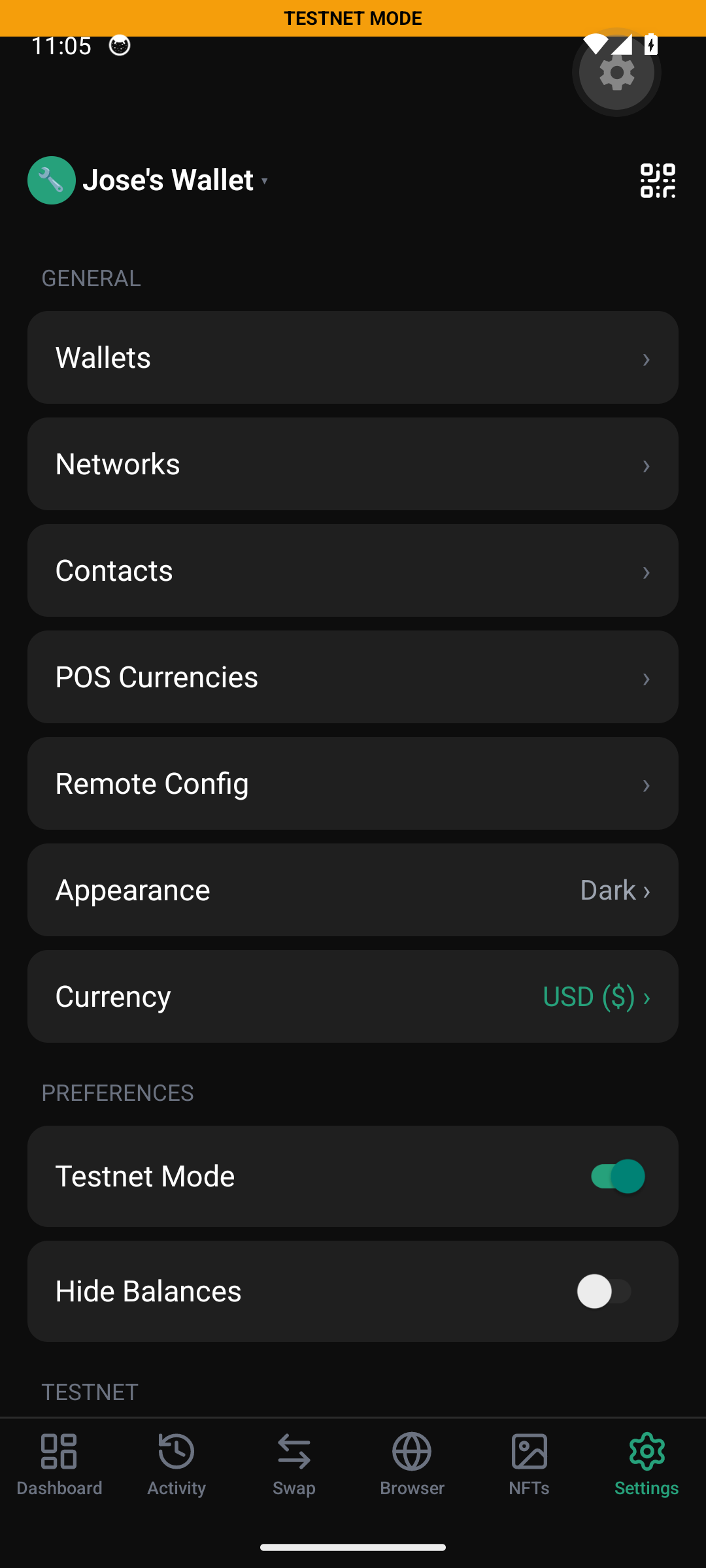
Every app-level control sits in one Settings root: Wallets, Networks, Contacts, POS Currencies, Remote Config, Appearance, Currency, Testnet Mode, Hide Balances, Network Faucets, Security, Batch Transfer (UTXO), Batch Transfer (EVM), Export, Import. Designed for power users and merchants while staying approachable for a first-time user — the dashboard never makes them touch it unless they want to.
Wallets & vaults
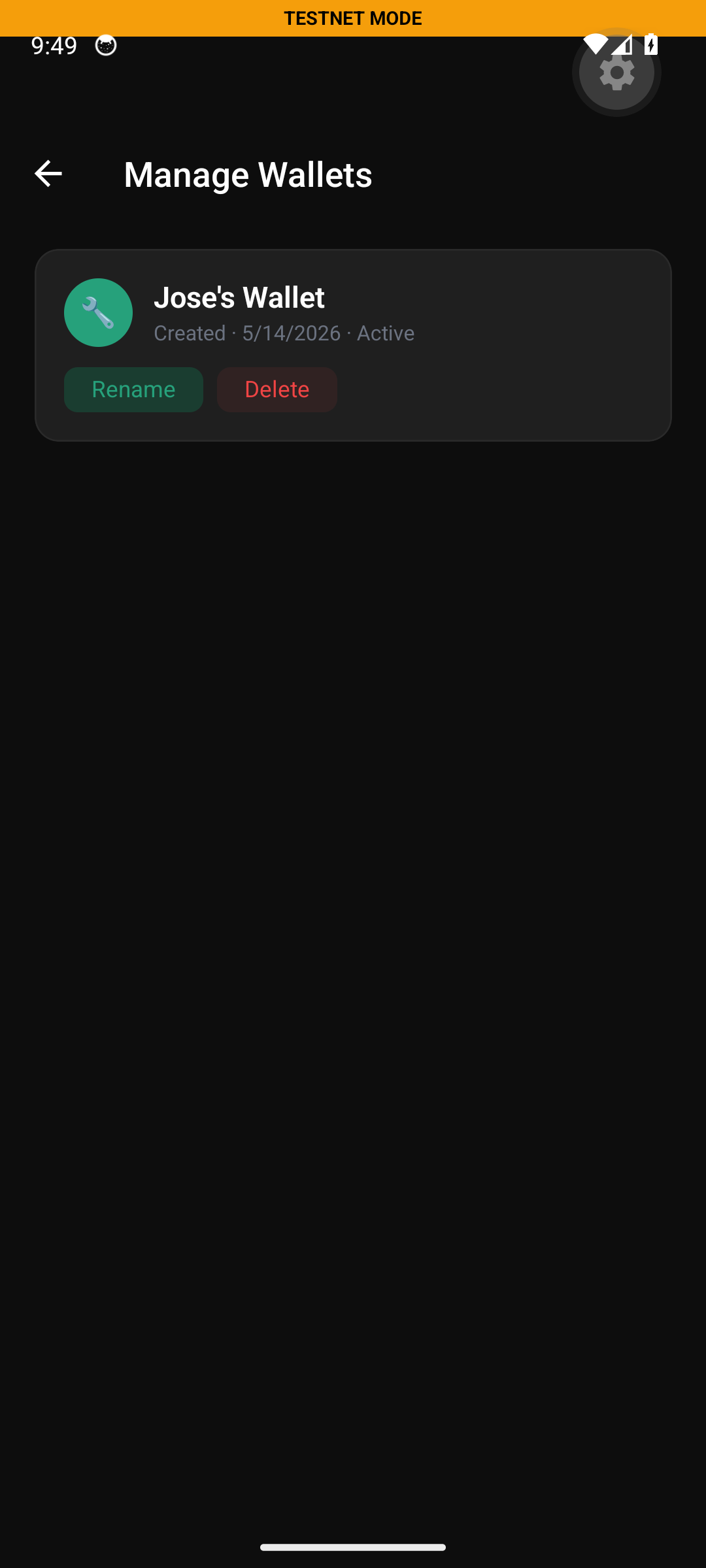
Multi-wallet management built in: create, import (12 / 24-word seed or raw private key), switch active, rename, delete. Each wallet keeps independent state — addresses, balances, history, contacts, custom tokens, push subscriptions — and never leaks data across boundaries. The active wallet is the only one signing; the rest sit encrypted at rest under the same master key in MMKV.
Security — three layers, one stack
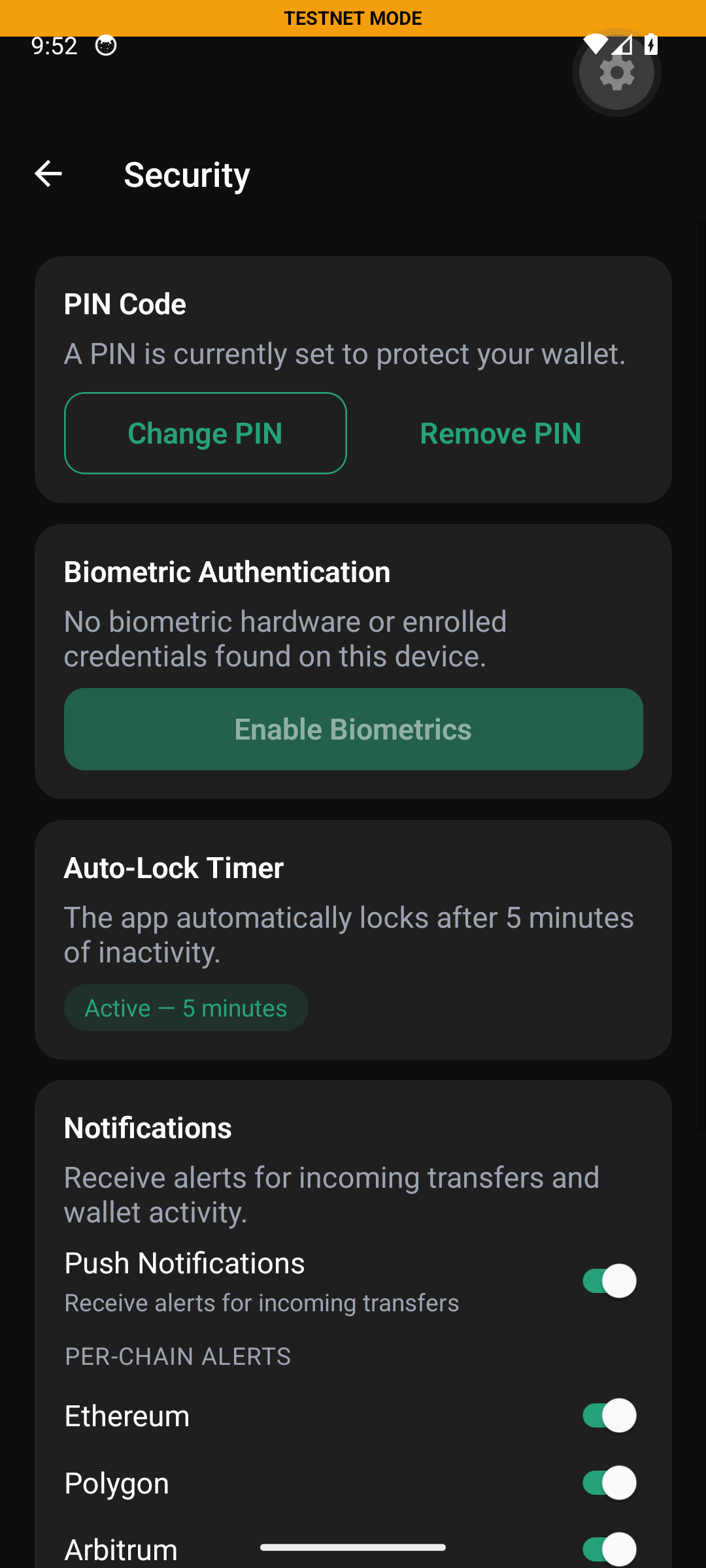
Vexo Mobile ships with the same defenses as the desktop: PBKDF2-stretched PIN with persistent exponential-backoff lockout, platform biometric (Android BiometricPrompt / iOS Face ID + Touch ID), and auto-lock on inactivity (5-minute default). The wallet state lives in MMKV, sealed by the OS-managed key in Android Keystore / iOS Keychain — the seed is signed-and-stored, not exposed.
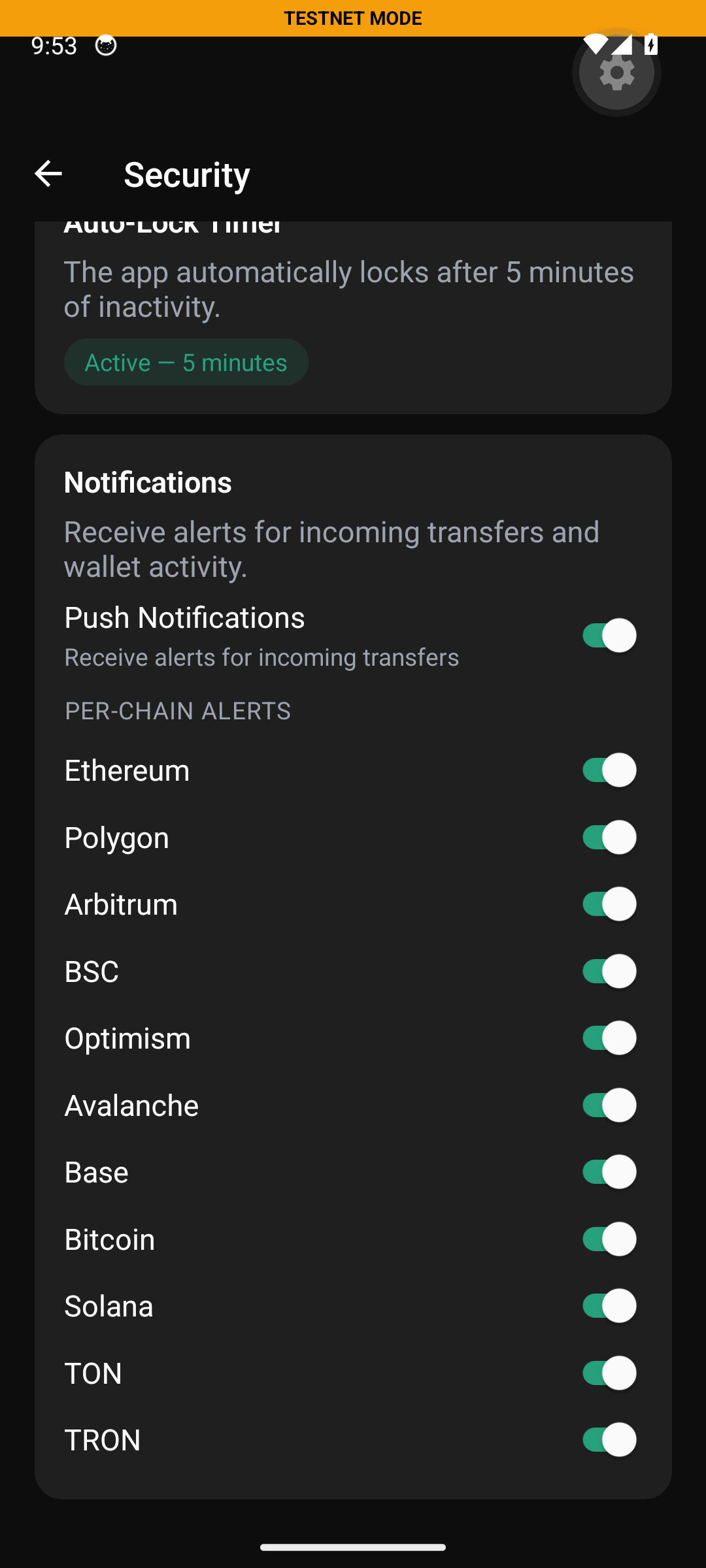
Notifications — per-chain control, server-honored
Vexo's push system runs on a dedicated indexer Worker on Cloudflare's edge that scans every enabled chain in both network modes and dispatches FCM V1 notifications when a watched address moves. The user sees one master toggle plus eleven per-chain mute switches; the mute is enforced on the dispatcher, not just client-side — silenced chains do not even leave Cloudflare.
Batch transfers — UTXO and EVM stablecoins
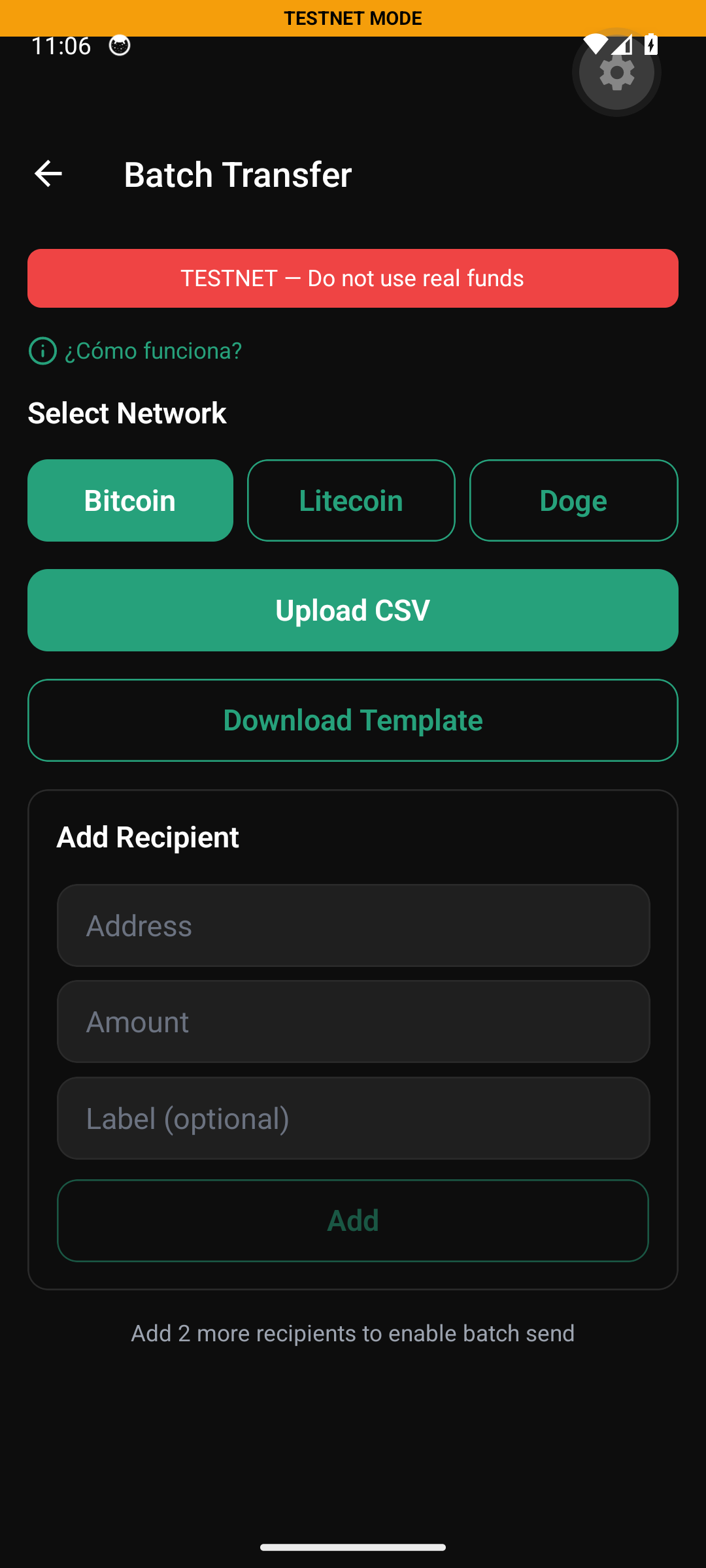
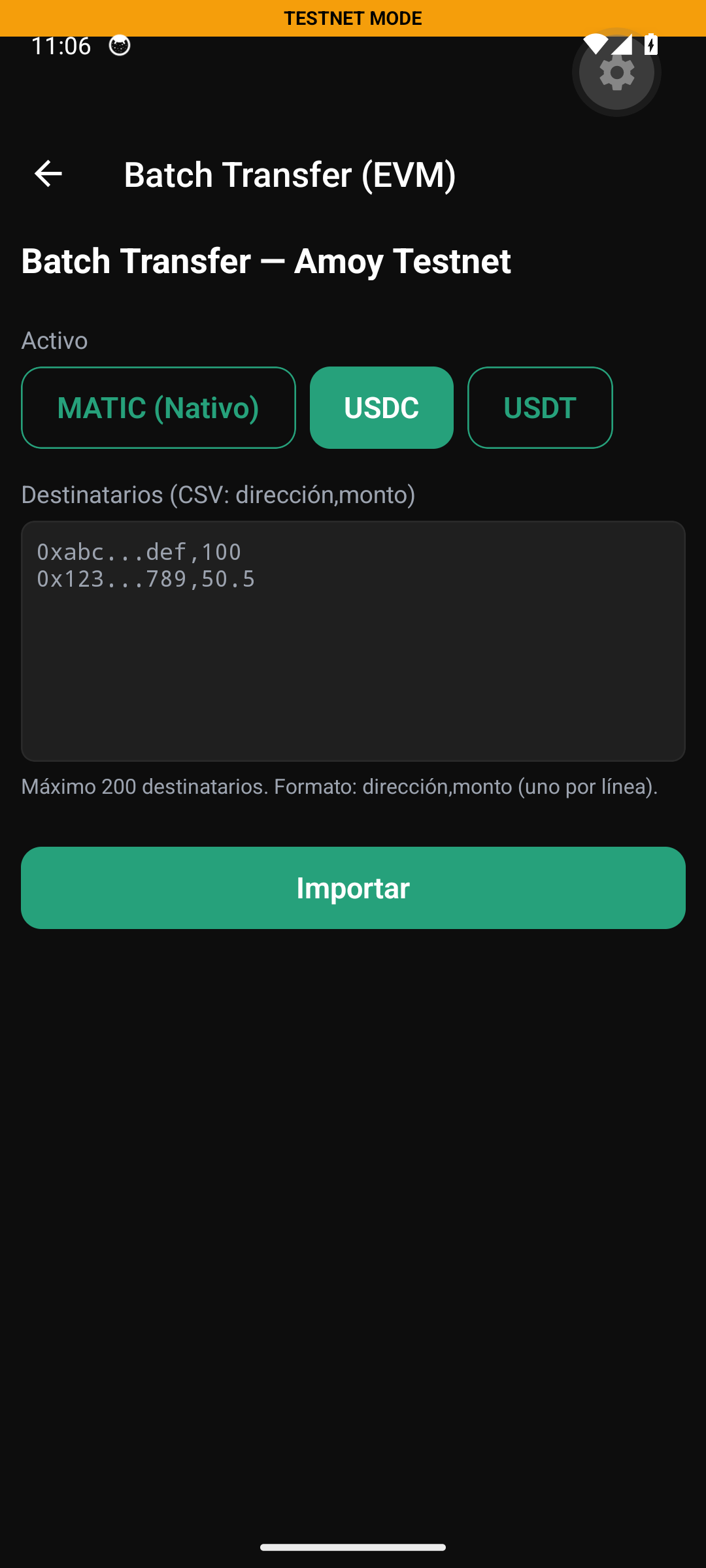
Vexo turns mass payouts into a single transaction. UTXO chains (Bitcoin / Litecoin / Doge) compile a multi-output transaction from a CSV address,amount; the user can also build the list manually via the Add Recipient form. EVM stablecoins (USDC / USDT / native) bundle up to 200 recipients per call — built for payroll, airdrops, affiliate runs and treasury distributions. The two flows live side-by-side in Settings → Tools.
Under the hood — the features that move money
Beyond the screens above, Vexo Wallet ships six production-grade modules most consumer wallets either skip or charge for separately. They are the reason this is a stablecoin-first wallet, not a token list with a chart.
StablecoinForwarder on EVM;
ATA-aware sponsor on Solana; energy / bandwidth delegation on TRON.
@scure/bip39, @scure/bip32 and @noble/curves.
No proprietary native blob, no closed-source signer, no remote key derivation —
seed never leaves the device, signing happens on-process, every chain has its own
adapter with explicit error codes (Result<T, WalletError>).